


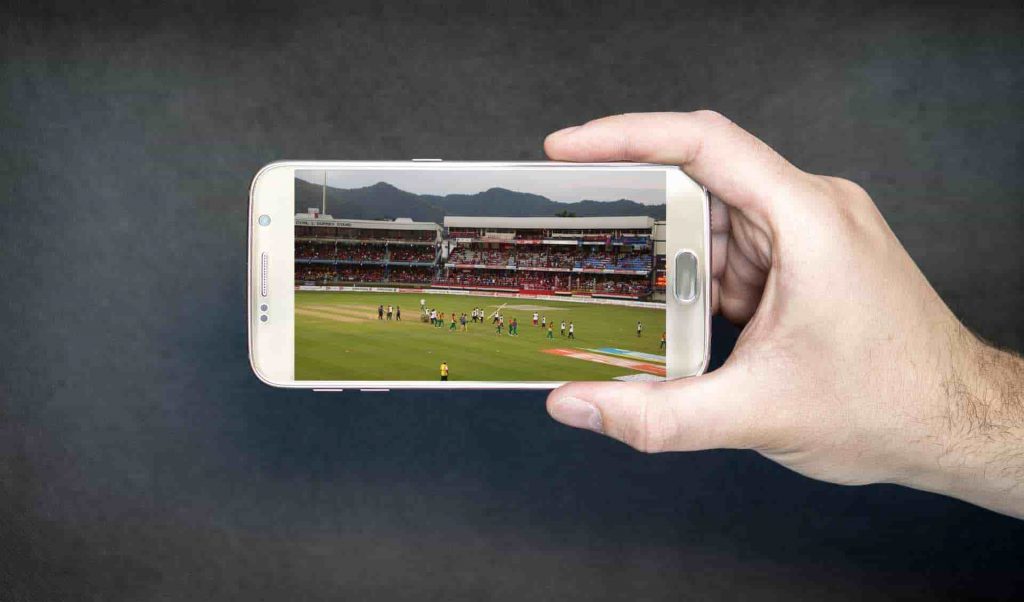
Cricket deserves clean motion and on-time updates, even on a busy day. Lag sneaks in when the connection jitters, the screen mode fights the stream, or background apps chew through bandwidth. The fix is not a mountain of gear. It is a few steady habits that make any phone, tablet, or TV feel faster right away.
A calm setup does three things at once. The network stays stable. The picture holds its frame rate. Notifications help without interrupting. With that triangle in place, the match flows from first over to final handshake without the scramble that ruins close finishes.
Start with the signal – pick the calmest path
Lag is usually a network problem in disguise. Peak speed looks great on a test, yet a steady link wins the over. At home, 5 GHz Wi-Fi in the same room as the router is the sweet spot. In public spaces, mid-band cellular often beats shared venue Wi-Fi that hundreds of phones are hammering. Before choosing where to watch, scan today’s fixtures and live sources on this website, then pick the stream that matches the connection you actually have. The right feed for the right line cuts delays more than any picture preset.
Switching networks mid-innings forces the brain to relearn timing. Lock the choice for the whole session when possible. If tethering is the only option, keep the hotspot phone still on a table so it does not bounce between towers in a pocket.
Phone setup – small tweaks that feel big
Phones win for convenience, yet heat and background tasks can wreck smooth play. Drop the brightness by one notch to reduce power consumption and keep the screen cool. Use a natural color profile; over-saturated modes look punchy but push users to raise brightness, which invites throttling. Close camera, maps, and social apps before the toss because they keep polling sensors in the background. Match the app’s frame rate to the display mode. A 120 Hz panel with a 60 fps stream is fine, yet a 90 fps cap against a 120 Hz screen can stutter.
Avoid charging while watching. If power is needed, plug in during a break with a slow charger, remove the thick case, and rest the phone on a stand so air flows behind the back panel. Subtitles should sit at medium weight with a soft outline so scores stay readable outdoors without cranking brightness.
Tablet setup – second screen without second guesses
Tablets make great companions for scorecards, win-probability graphs, and commentary tracks while the TV carries the main feed. Sit on 5 GHz Wi-Fi within one room of the router. Disable auto-play for clips on cellular, so data does not vanish during scrolling. Use Split View only when needed. Two live panes look clever, yet double the work the device must do. For shared spaces, pair closed-back headphones to keep audio clear without raising system volume.
Framing matters. Park the tablet just below the TV’s sight line so eyes travel less. Keep captions a touch larger than phone size. A matte protector helps under bright lamps. When the chase heats up, dim the tablet slightly so the TV remains the visual anchor.
TV setup – big screen, low delay
A TV can lag behind handhelds if the path is messy. Connect the streaming box or smart TV by Ethernet if the router is nearby. If not, use 5 GHz Wi-Fi and keep the set away from metal racks that reflect the signal. On the device, choose the low-latency or “fast start” feed when available. Many apps now offer shorter buffers for live sports. Match refresh and stream: 60 Hz sets love 60 fps; motion-smoothing features add false frames and should stay off for cricket.
Sound helps timing. Dialogue enhancement and gentle compression keep commentary and umpire calls clear without sudden spikes that trigger rewinds. Keep volume steady across ads by enabling loudness normalization where available. A small soundbar set to a neutral profile improves clarity at lower volume, which reduces fatigue across long innings.
One list before the toss – ninety seconds, fewer problems
- Choose the calmer line: 5 GHz near the router at home or strong cellular on the go.
- Lock the stream quality one step below max on data so motion stays smooth without surprise drops.
- Turn off auto-play on cellular and pause cloud backups until stumps.
- Match display mode and stream frame rate, then disable motion smoothing on the TV.
- Drop brightness a notch and use a natural color profile to avoid heat.
- Keep notifications to a “match lane” for wickets, milestones, weather, and final only.
Run this once, and the rest of the night feels lighter.
Make alerts useful, not loud
Notifications should answer one question: is it time to look up? Everything else can wait for innings breaks. Follow only the teams that were actually watched this week. Allow banners so the glance lands fast. Hide lock-screen previews for sensitive items. Use do-not-disturb with exceptions for the match lane during meetings or evening plans. Group chats should move into muted threads, with one scoreboard bot unmuted so phones do not buzz at every dot ball.
Comfort that keeps the picture and focus steady
Eyes and hands quit before schedules do. A slim stand prevents the “phone claw” that adds shake to highlights. A matte screen protector reduces glare on trains and in offices. Earbuds with a low-latency mode keep cues aligned with the picture and allow lower volume for TVs, set room lights behind the screen rather than opposite it. That simple move cuts reflections and keeps brightness lower without losing detail in dark scenes.
Short, screen-free resets work better than long fiddles. Two five-minute breaks inside a ninety-minute window cool devices, clear heads, and reduce the urge to tinker with settings midway through a chase.
A smoother match with the screens you already own
Clean motion and on-time updates are about discipline, not dollars. Select the appropriate feed for the current line, maintain the device’s temperature, and minimize noise around alerts. Phones handle commutes, tablets shine as the smart second screen, and TVs carry the big moments when the room gathers. With a few steady habits, today’s match plays the way it should – crisp, timely, and easy to enjoy from first loosened to last ball.
Get the latest cricket news here, like us on Facebook, and follow us on Twitter and Instagram for more such updates.